Introduction#
When opening a root shell or administrator window and having it open with a different color background than one opened as a regular user is not a novel concept. It is a visual reminder that you are operating in God Mode. However, this typically does not happen when switching to root using sudo from a regular window.
Previously, I wrote an article how to do this (in a rather complicated way) how to do this for kitty and Alacritty. This is a revised article to achive the same thing much easier using control codes and that works for any terminal emulator. At least those that accept control codes (which is most of them).
Let’s get started#
Step 1#
Since I am using the fish shell, the syntax below is fish but you can easily do exactly the same thing for any shell. The important lines are the ones starting with printf and can be used in whatever your favorite shell is.
function __check_term
    if [ (id -u) = 0 ]
        printf '\x1b]11;#82181A\x1b\\'
    else
        printf '\x1b]11;#303446\x1b\\'
    end
end
When my prompt is being generated, this function checks if the user is root, and if so sets the background color to red. If not, it sets the background color to my default color as used by the (in my case) Catppuccin theme I am using. Set to whatever hexadecimal color code you prefer.
[!NOTE] I use the same profile configuration for my regular user as well as root. As such, I do checks and have conditional actions. If you do not, just use one of the
printf [..]lines above where appropiate in your profile for whatever profile you are setting up.
Results#
After we have done all this, this is the result:
| Regular user | root access |
|---|---|
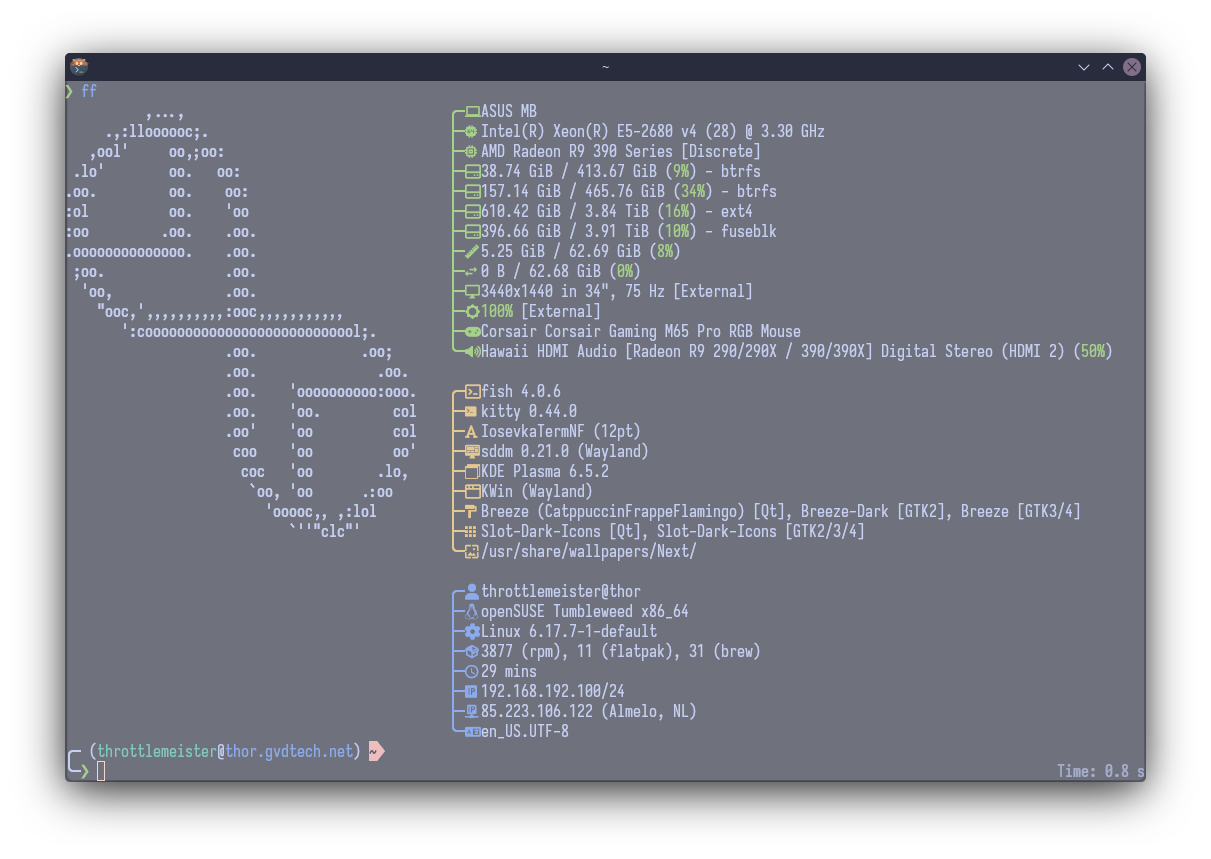 | 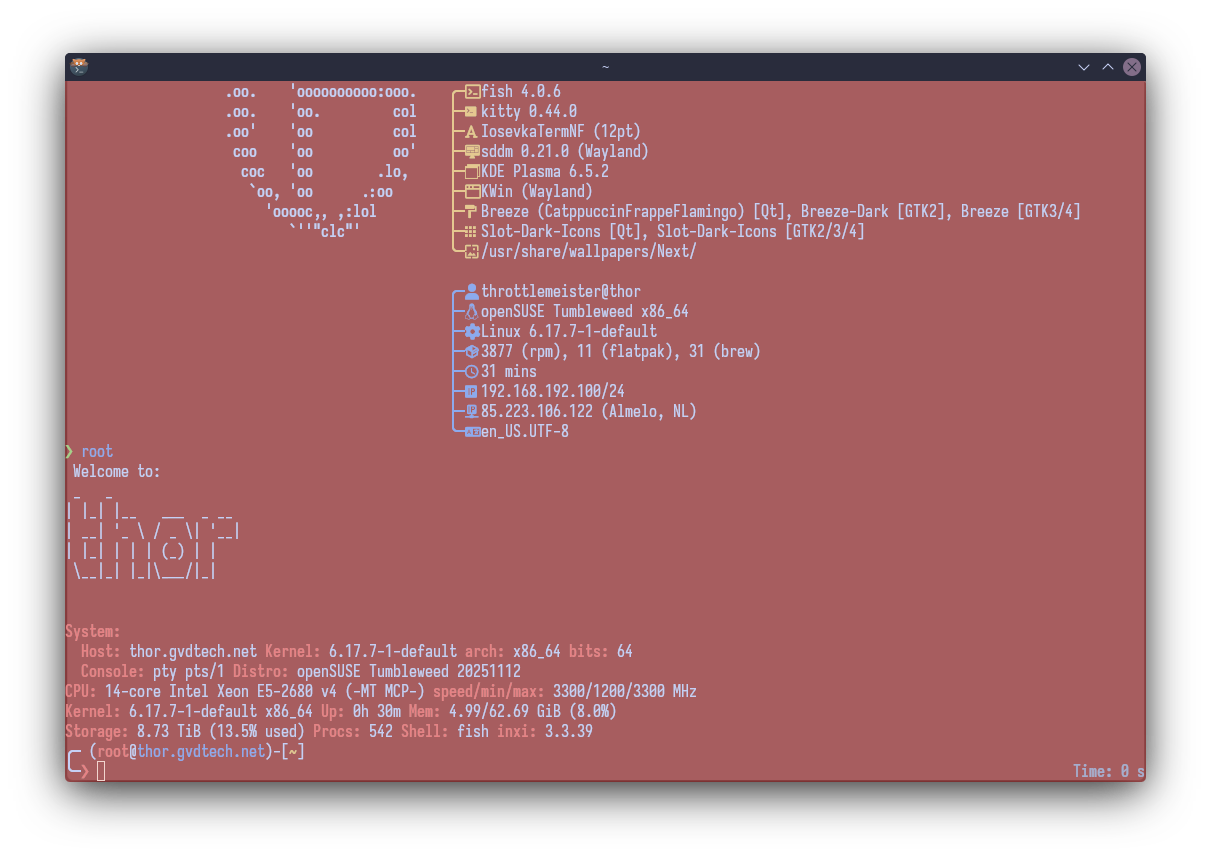 |
If we exit the root shell, the window returns back to the first visual configuration.
Done! We now have a very visual indicator to let us know we are working as the root user and we should be extra careful as to what we are doing.